
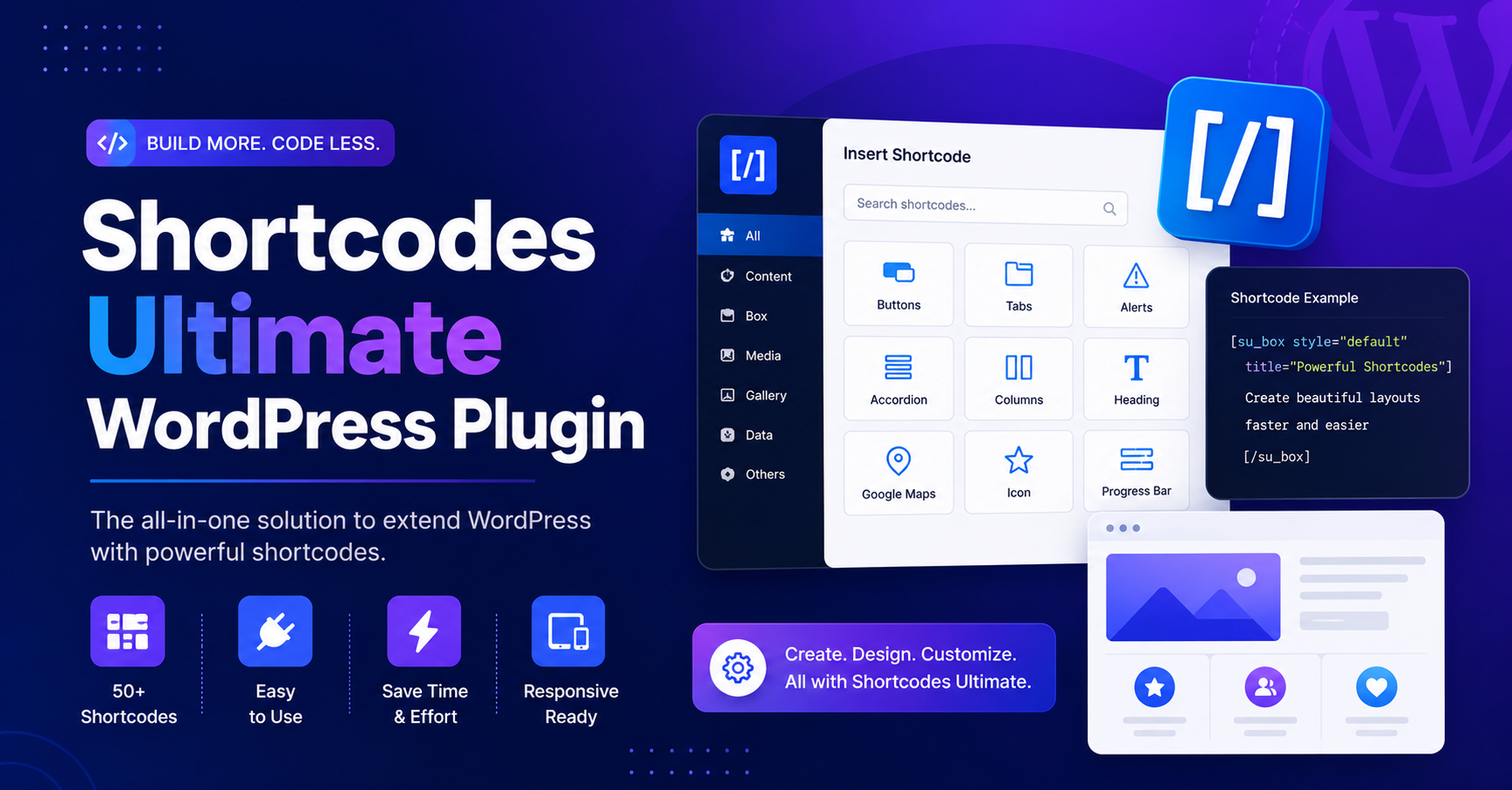
If you want to add flexible design elements to your WordPress website without using a heavy page builder, shortcodes ultimate is one of the most useful free plugins to consider. It allows you to insert ready-made content elements such as buttons, tabs, accordions, boxes, sliders, galleries, columns, spoilers, lightboxes, and more using simple shortcodes.
For bloggers, affiliate marketers, business websites, service pages, documentation websites, and portfolio sites, Shortcodes Ultimate can make content more attractive and easier to read. Instead of installing separate plugins for every small design feature, you can use one shortcode plugin to manage multiple content elements from one place.
The plugin is especially helpful for users who want better page design but do not want to depend completely on Elementor, Divi, WPBakery, or other page builders. It works well with the WordPress Block Editor, Classic Editor, widgets, and many theme layouts.
Is Shortcodes Ultimate Free?
Yes, Shortcodes Ultimate has an official free version available for WordPress users. You can install it directly from your WordPress dashboard by going to Plugins > Add New and searching for Shortcodes Ultimate.
The free version includes many commonly used content shortcodes. These are enough for most basic design needs, such as adding call-to-action buttons, collapsible FAQ sections, tabbed content, responsive columns, image galleries, and highlighted content boxes.
There is also a premium version with extra features, advanced designs, and more shortcode options. So, if you search for “Shortcodes Ultimate Pro free download,” be careful. The core plugin is free, but Pro features are paid.
What Is Shortcodes Ultimate Used For?
Shortcodes Ultimate is used to add reusable design and content elements inside WordPress posts, pages, widgets, and templates. It is useful when you want to improve the appearance of your content without writing custom HTML, CSS, or JavaScript.
You can use it for:
- FAQ accordion sections
- Product feature tabs
- Service boxes
- Pricing buttons
- Image galleries
- Video embeds
- Spoiler sections
- Content columns
- Call-to-action areas
- Lightbox images
- Highlighted notes
- Download buttons
Related terms for this plugin include WordPress shortcode plugin, accordion shortcode, tabs shortcode, button shortcode, responsive shortcodes, visual shortcode generator, WordPress content elements, and shortcode editor plugin.
Main Features of Shortcodes Ultimate
1. Ready-Made Shortcodes
The plugin includes a wide range of shortcodes for design, layout, media, and interactive content. These shortcodes help you build better-looking pages without adding too many separate plugins.
2. Visual Shortcode Generator
Instead of manually writing shortcode syntax, you can use the shortcode generator. This makes the plugin easier for beginners because you can select an element, adjust settings, and insert it into your content.
3. Live Preview
The live preview feature helps you see how a shortcode will look before publishing it. This reduces mistakes and saves editing time.
4. Works With Block Editor and Classic Editor
Shortcodes Ultimate works with both the modern Gutenberg Block Editor and the older Classic Editor. This makes it useful for both new and older WordPress websites.
5. Responsive Content Elements
Many elements created with Shortcodes Ultimate are responsive, meaning they can adjust to mobile, tablet, and desktop screens. This is important for user experience and SEO.
6. Custom CSS Support
If you want more design control, you can add custom CSS. This helps you match buttons, boxes, tabs, and other elements with your website branding.
Benefits of Using Shortcodes Ultimate
The biggest benefit of Shortcodes Ultimate is flexibility. You can improve your content layout without switching themes or installing a full page builder. This is useful for websites that need clean, fast, and lightweight design improvements.
Another benefit is consistency. If you use the same shortcode style across multiple posts or pages, your website looks more professional. For example, you can use the same button shortcode for all download links or the same accordion style for all FAQ sections.
Shortcodes Ultimate can also improve readability. Long content becomes easier to scan when you use tabs, accordions, columns, and boxes properly. Better readability can increase time on page and help users find information faster.
Free Version vs Pro Version
The free version of Shortcodes Ultimate is suitable for most basic websites. It includes many useful elements like buttons, tabs, boxes, accordions, sliders, and columns.
The Pro version is better for users who need more advanced design options, extra shortcode styles, premium elements, Elementor support, testimonials, pricing tables, and advanced content sliders.
If your website is simple, start with the free version. If you need more professional layout control, then the Pro version may be worth considering.
Best Websites for Shortcodes Ultimate
Shortcodes Ultimate works well for many types of websites, including:
- Blogs
- Affiliate websites
- Business websites
- Digital product websites
- Online course websites
- Portfolio websites
- Documentation websites
- Agency websites
- Service provider websites
- Review websites
For example, an affiliate blog can use comparison boxes and CTA buttons. A service website can use tabs to explain packages. A documentation website can use accordions to organize long help sections.
Conclusion
The shortcodes ultimate plugin is a useful free WordPress shortcode plugin for adding buttons, tabs, accordions, sliders, boxes, columns, galleries, and other content elements without coding. It is a good choice for users who want flexible design options without using a full page builder.
The free version is enough for many websites, while the Pro version offers more advanced features. For the safest experience, always use the official version and avoid nulled downloads.
FAQs
Is Shortcodes Ultimate free?
Yes, Shortcodes Ultimate has a free version available for WordPress users.
What can I create with Shortcodes Ultimate?
You can create buttons, tabs, accordions, boxes, sliders, columns, galleries, spoilers, and lightbox elements.
Does Shortcodes Ultimate work with Gutenberg?
Yes, it works with the WordPress Block Editor and Classic Editor.
Is Shortcodes Ultimate Pro free?
No. The Pro version is a paid upgrade with extra features.
Is it safe to download Shortcodes Ultimate from third-party websites?
No. Always use the official free plugin or buy the Pro version from the official developer.