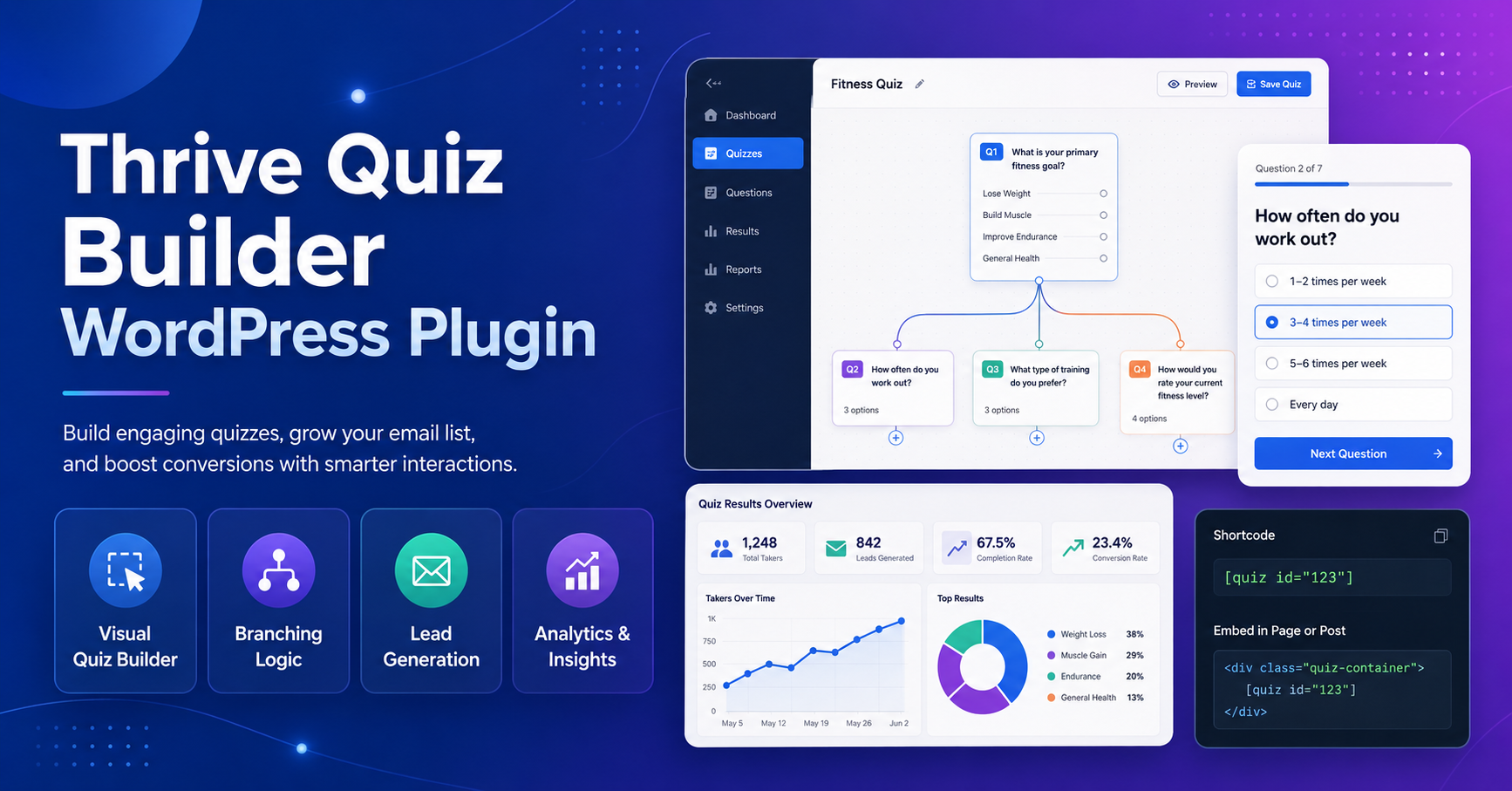
Thrive Quiz Builder is a popular WordPress quiz plugin for website owners who want to create interactive quizzes, collect leads, segment visitors, personalize results, and increase engagement. Many users search for “Thrive Quiz Builder WordPress Plugin Free Download” because they want to know whether there is a free version, how the plugin works, and whether it can help grow email lists or improve website conversions.
The most important point is this: Thrive Quiz Builder is not an official free plugin. It is available as a paid standalone plugin and also as part of Thrive Suite. Thrive’s official pricing page for Thrive Quiz Builder shows a standalone yearly plan and a Thrive Suite option that includes the plugin with other Thrive products.
So, while you can research the plugin for free, read its documentation, and compare its features, you should not download unofficial “free,” “nulled,” or “cracked” copies. Those files can damage your WordPress website, harm your SEO, and put user data at risk.
What Is Thrive Quiz Builder?
Thrive Quiz Builder is a WordPress plugin that helps users create quizzes without coding. These quizzes can be used for lead generation, audience segmentation, product recommendations, learning assessment, personality quizzes, surveys, and engagement campaigns.
The plugin is especially useful for marketers because quizzes are interactive. Instead of asking visitors to read passively, a quiz encourages them to click, answer, and reach a personalized result. That interaction can increase time on page, improve lead capture, and help businesses understand their audience better.
Thrive positions Quiz Builder as a lead generation tool inside its product ecosystem. Their product page says Thrive Quiz Builder is part of the lead generation category and is designed to turn more visitors into leads.
Is Thrive Quiz Builder WordPress Plugin Free Download Available?
No, there is currently no official free download of Thrive Quiz Builder as a full plugin. Thrive’s official page lists Thrive Quiz Builder as a paid standalone product and also includes it in Thrive Suite. The official pricing section shows standalone Thrive Quiz Builder licensing, support, updates, templates, and a 30-day money-back guarantee.
This matters because many websites use “free download” wording to attract users looking for premium plugins without payment. That can be dangerous. A cracked quiz plugin may include malicious code, steal email leads, inject spam links, redirect visitors, or create hidden admin access.
If you are building a ranking-focused WordPress site, never risk your domain authority and user trust for a pirated plugin.
Key Features of Thrive Quiz Builder
1. Quiz Setup Wizard
Thrive Quiz Builder includes a setup wizard to guide users through quiz creation. Thrive’s official feature list mentions a setup wizard, templates, drag-and-drop editing, different quiz types, opt-in gateway, A/B testing, personalized results, and analytics.
This is helpful for beginners because it reduces the confusion of building a quiz from scratch.
2. Multiple Quiz Types
Different websites need different quiz formats. A personality quiz is not the same as a product recommendation quiz. A survey is not the same as a scoring quiz.
Thrive Quiz Builder supports different quiz types, which helps users match the quiz format to their business goal.
3. Personalized Follow-Up Questions
One of the strongest features is the ability to ask different questions based on previous answers. Thrive says users can personalize follow-up questions based on participant answers and drag and drop questions to create a personalized flow.
This is useful because not every visitor should see the same question path. Better personalization can produce more relevant results.
4. Opt-In Gate for Lead Generation
Thrive Quiz Builder allows users to add an opt-in gate, asking for the participant’s email before showing quiz results. Thrive describes this as a way to turn quizzes into a lead generation machine.
This is especially useful for email list building, lead magnets, and segmentation funnels.
5. Personalized Result Pages
Instead of showing a generic result, Thrive Quiz Builder can show customized result pages based on the user’s answers. This helps businesses recommend the right service, product, article, course, or next step.
6. Analytics and A/B Testing
Thrive’s official feature list mentions analytics and A/B testing for questions, flows, and results.
This is useful because quiz performance should be measured. You can test which questions users drop off from, which results convert better, and which opt-in gate performs best.
Pro-Tips for SEO and Conversion
Pro-Tip 1: Add a text-based summary before or after the quiz. Google cannot understand a quiz experience the same way a human does, so surrounding content matters.
Pro-Tip 2: Use quiz result pages as internal linking opportunities. Send users to relevant articles, services, product categories, or lead magnets.
Pro-Tip 3: Avoid thin quiz-only pages. Add intro content, instructions, benefits, FAQs, and related resources.
Pro-Tip 4: Test your quiz on mobile. Many users will take quizzes from phones, and poor mobile design can reduce completion rate.
Pro-Tip 5: Review analytics monthly. If users drop off at question three, the question may be too confusing or too personal.
Best Free Alternatives to Consider
If you need a free quiz plugin, consider official free options from the WordPress plugin directory. Some free quiz plugins may not have the same marketing-focused features as Thrive Quiz Builder, but they are safer than using cracked premium software.
Look for features like:
- Active updates
- Good reviews
- Compatibility with your WordPress version
- GDPR-friendly options
- Email integration
- Mobile responsiveness
- Clean shortcode or block support
Final Verdict
Thrive Quiz Builder is a powerful WordPress quiz plugin for lead generation, segmentation, engagement, and personalized user journeys. However, it is not an official free plugin, so users should avoid any website claiming to offer a safe “free” cracked download.
For serious WordPress websites, the safest approach is to use the official version or choose a trusted free alternative from WordPress.org. A secure plugin setup protects your traffic, leads, SEO performance, and long-term brand trust.
FAQs
Is Thrive Quiz Builder free?
No. Thrive Quiz Builder is a premium plugin. It is available as a standalone product and as part of Thrive Suite.
Can I download Thrive Quiz Builder from WordPress.org?
No. Thrive Quiz Builder is not available as a free WordPress.org plugin.
What is Thrive Quiz Builder used for?
It is used to create quizzes, collect leads, segment audiences, personalize results, and improve visitor engagement.
Does Thrive Quiz Builder support opt-in forms?
Yes. Thrive’s official product page mentions an opt-in gateway that can ask for a visitor’s email before showing quiz results.
Is a nulled Thrive Quiz Builder plugin safe?
No. Nulled plugins can contain malware, spam scripts, data-stealing code, and hidden redirects.
Can quizzes help SEO?
Quizzes can improve engagement and support content strategy, but SEO ranking still depends on useful content, search intent, site authority, speed, mobile experience, and technical optimization.