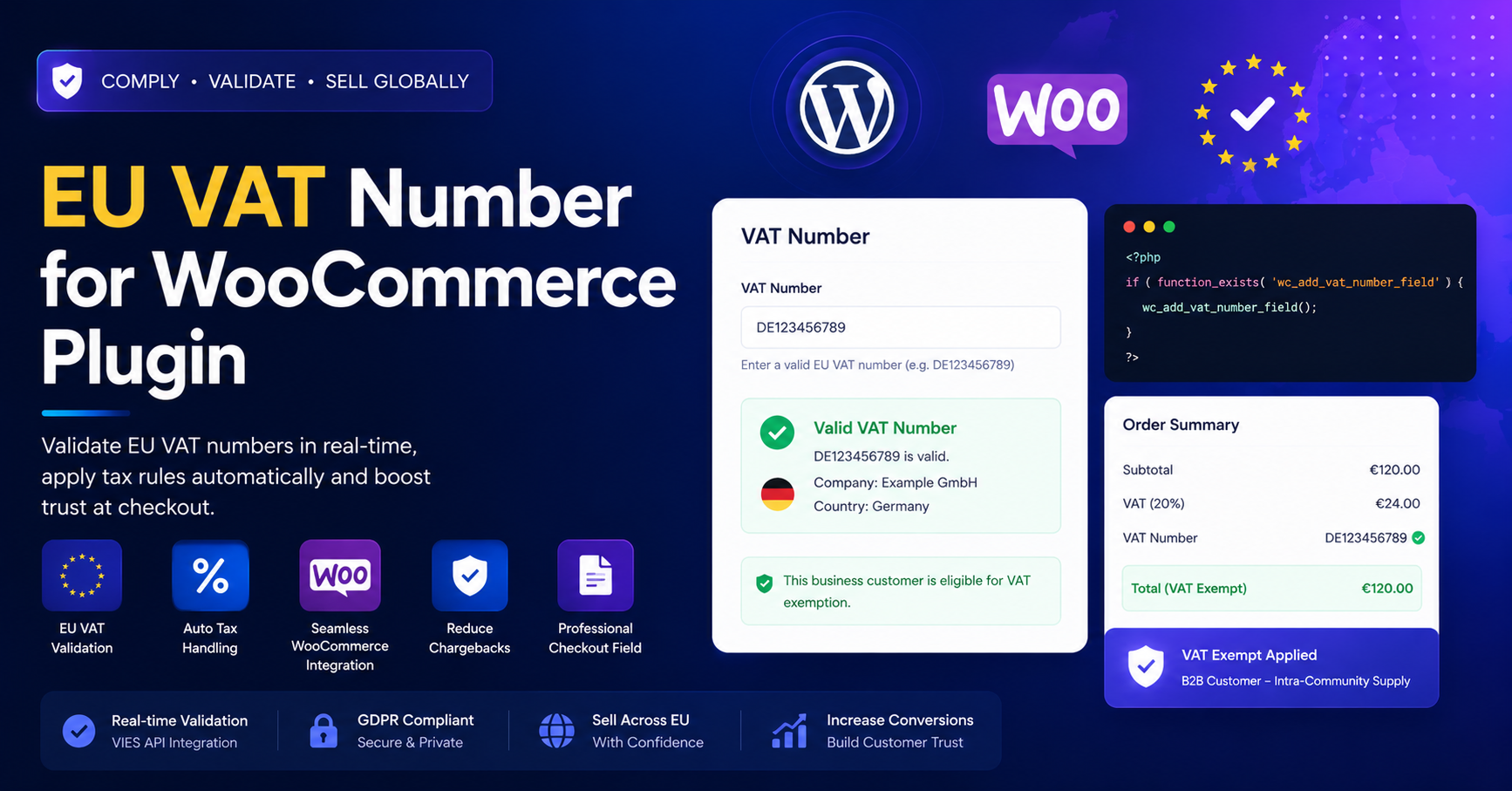
In the global e-commerce market, selling to customers within the European Union (EU) offers massive growth potential. However, it also brings a complex set of tax obligations. If you are a WooCommerce merchant, you are likely aware that EU VAT laws—particularly those concerning B2B transactions and digital goods—are rigorous. Manually validating VAT numbers or calculating tax exemptions is not just time-consuming; it is a liability.
The EU VAT Number for WooCommerce plugin is the essential tool for automating this process, ensuring your store remains compliant while providing a professional, frictionless checkout experience.
Why EU VAT Compliance is a Legal Necessity
For any online business, compliance is the foundation of long-term success. EU VAT regulations dictate that businesses must collect and remit VAT for sales to EU customers. When you sell to other VAT-registered businesses (B2B) within the EU, the “Reverse Charge” mechanism often applies, meaning you must exempt these customers from paying VAT at the point of sale.
If you fail to collect, validate, or store proper evidence of these transactions, you could be held liable for the unpaid tax, potentially facing significant fines and audits. This is where the EU VAT Number for WooCommerce plugin becomes your primary defense. It turns a complex legal requirement into a simple, automated background process.
Core Features of the Plugin
1. Real-Time VIES Validation
The plugin integrates directly with the VIES (VAT Information Exchange System), the official database of the European Commission. When a customer enters their VAT number at checkout, the plugin communicates with this database in real-time to verify that the number is active and matches the customer’s billing information. If the number is invalid, the plugin can prevent the checkout or show a custom warning, protecting you from tax fraud.
2. Automatic Tax Exemption
Manual tax adjustments are a thing of the past. Once a customer provides a valid VAT number, the plugin automatically identifies them as a B2B entity and removes the VAT from their cart total immediately. This happens seamlessly on the checkout page, so the customer sees the final, accurate price without needing to contact your support team.
3. EU-Specific Evidence Collection
Recent VAT regulations (including MOSS/OSS rules) require merchants to collect evidence of a customer’s location—often needing two distinct pieces of non-contradictory evidence, such as IP address and billing country. This plugin automates the collection and storage of this data with every transaction, ensuring you have the documentation necessary for your VAT reports.
4. Smart Conditional Visibility
A professional checkout should be clean. The plugin is designed to be intelligent:
- Country Detection: The VAT field only appears if the customer selects an EU country for their billing address.
- Customer Identification: You can configure the plugin to show the VAT field only when a customer identifies themselves as a “Business,” keeping the experience simple for standard B2C consumers.
Implementation Guide: Setting Up Compliance
Automating your tax workflow is straightforward. Follow these steps to configure your shop:
- Install the Plugin: Upload the plugin zip file to your Plugins > Add New menu and activate it.
- General Settings: Navigate to the plugin’s configuration page. Here, you can define your shop’s “Base Country” so the plugin knows when to trigger tax exemptions.
- Validation Logic: Set your preference for invalid VAT numbers. You can choose to “Reject order,” “Accept without exempting tax,” or “Accept and apply tax.” For high-risk businesses, “Reject order” is recommended.
- Field Customization: Customize the label of the VAT field (e.g., “Company VAT Number” or “TVA/IVA Number”) to match your local language and audience expectations.
- Test the Checkout: Always run a test order using a valid and an invalid test VAT number to ensure the exemption logic is firing correctly before going live.
Troubleshooting & Best Practices
- Handling VIES Downtime: Occasionally, the European Commission’s VIES server may undergo maintenance. Configure your plugin to “Accept order” or provide a clear message to the customer if validation fails due to a server error, so you don’t lose sales during these temporary outages.
- Documenting Your Sales: Use the built-in “EC Sales List” report provided by the plugin. Export this quarterly to simplify the process of filing your VAT returns with your local tax authority.
- Keep Your Prices Clear: Use the “Prices Inclusive of Tax” setting in WooCommerce to ensure transparency, and rely on the plugin to handle the math during the final checkout stage.
Frequently Asked Questions (FAQs)
Q: Do I need a VAT number to use this plugin?
A: No, the plugin is for your customers. It collects their VAT numbers to validate their business status.
Q: Does this plugin handle digital goods (MOSS/OSS)?
A: Yes, it is fully compatible with digital goods requirements, ensuring that VAT is calculated based on the customer’s verified location rather than the store’s base location.
Q: What if I sell to B2C (consumers)?
A: The plugin handles this perfectly. It identifies non-B2B customers and applies the standard local VAT rates for their specific country, keeping you compliant with B2C tax rules.
Q: Is this the same as the "Tax Exemption" plugins?
A: While they share goals, this plugin is specifically tuned for EU VAT laws and VIES validation. If your primary market is Europe, this is the most direct and compliant solution.
Q: Can I use this with other invoice plugins?
A: Most versions of this plugin are compatible with popular tools like "PDF Invoices & Packing Slips." The VAT number entered by the customer will automatically populate on the generated invoice, which is a legal requirement for B2B supplies.